









Node types and value mapping
How the values in your Node type and Relationship type columns are recognised, and how to translate wording the visual does not know.
Recognised wording
Each diagram type has a fixed set of node types and relationship types. The values in your Node type column are matched against them ignoring case, spaces, underscores, hyphens and full stops, and against the other names each type is commonly written with. AND, and gate, AND_GATE and And Gate all read as an AND gate.
A fault tree voting gate, for example, is recognised when written as Voting (k/n), Vote (k/n), k out of n, Majority vote or m/n.
Wording the visual does not recognise
A value that matches nothing is kept exactly as written and reported once, however many rows use it.
Translating your own wording
Below the field mapping, Data Mapping shows a Node type values table and a Relationship values table. Each lists the distinct values in the mapped column, up to the first 200, with an Interpret as dropdown beside each. Until the column is mapped, the table asks you to map it first.
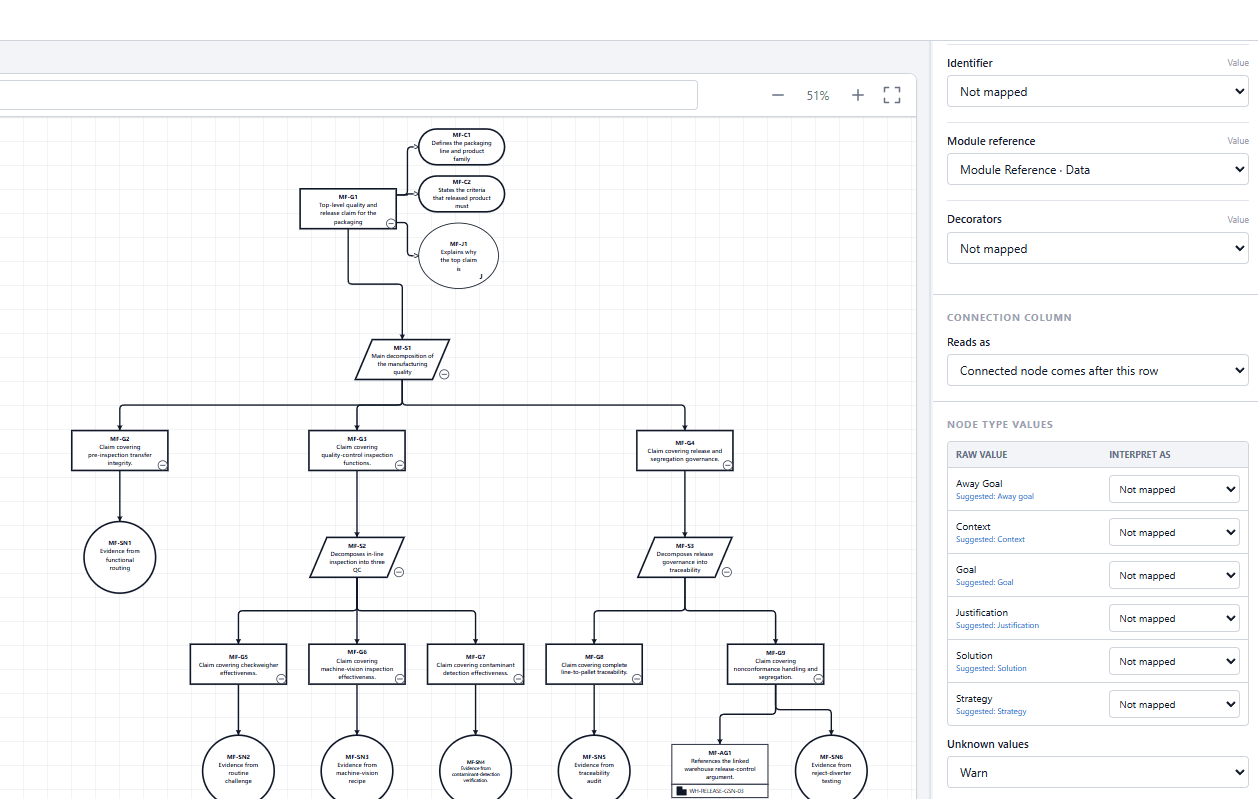
A value the visual already recognises shows Suggested: with the type it reads as. Choose a type in Interpret as to override it. Values you leave unmapped keep working as recognised wording: the table adds to the built-in matching rather than replacing it.
| Unknown values | A value that is neither mapped nor recognised is |
|---|---|
| Warn | Reported as a warning. This is the default. |
| Error | Reported as an error. |
| Use source value | Passed through as written. |
| Ignore | Not reported. |
Blank relationship types
A blank Relationship type cell is read as the diagram type's ordinary connection, such as an input on a fault tree, not as an unknown value.
With no Node type column
Fault Tree Analysis, Reliability Block Diagram and Markov State Diagram still draw with no Node type mapped. Every node takes the diagram type's default type.
On a fault tree, the notation rules cannot be checked without node types, and the Validation tab says so rather than reporting the tree as passing.
Data that fits another diagram type
When most of your node types match a different diagram type better than the selected one, the visual names that type and the share of node types that match it. It never switches diagram type for you.