









Ataytis Assurance
The advanced editor
How the editor is laid out, what the header controls do, and how the six tabs divide the settings.
Opening the editor
Select the visual on the report, open More options (…) and choose Edit. The editor fills the visual, and each change is saved to the report as it is made. Select Back to report to close it.
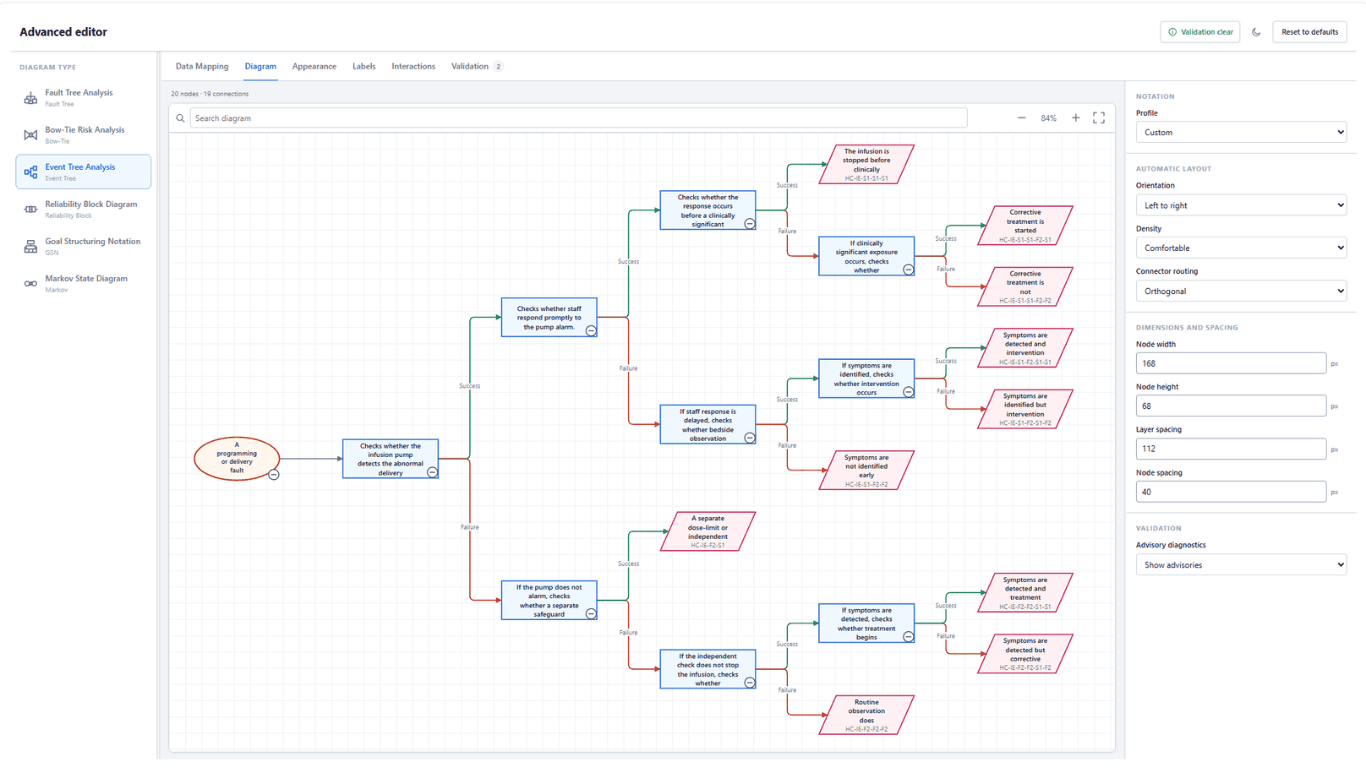
Layout
| Area | What it holds |
|---|---|
| Diagram type | The six diagram types. Selecting one switches the visual to it. |
| Tabs | Data Mapping, Diagram, Appearance, Labels, Interactions and Validation. |
| Preview | The diagram as the report draws it, with the node and connection count above it. |
| Settings panel | The settings for the selected tab. |
Drag the border beside the Diagram type list or the settings panel to resize it. Both borders also move with the arrow keys, further with Shift held, and Home and End go to the limits. The widths are saved with the report.
Header controls
| Control | What it does |
|---|---|
| Validation status | Shows the error or warning count, or Validation clear. Opens the Validation tab. |
| Theme | Switches the editor between a light and a dark theme. |
| Reset to defaults | Restores every tab to its defaults. Select it a second time to confirm. Field mappings are kept. |
The six tabs
| Tab | Contains |
|---|---|
| Data Mapping | Diagram picker, field mapping, connection direction, and the node type and relationship value tables. |
| Diagram | Notation profile, orientation, density, connector routing, node dimensions and spacing, and settings specific to the diagram type. |
| Appearance | Colours, shape and typography, style presets, conditional formatting, node type styles and individual node overrides. |
| Labels | Label content and placement, readability, value annotations, legend and summary strip. |
| Interactions | Zoom, pan, search, minimap, selection, tooltips, expand and collapse, the Node Inspector, the diagram selector and saved view state. |
| Validation | Every diagnostic, filterable by severity. |
With a tab focused, the left and right arrow keys move between tabs.