Format pane
Grid
Borders and dividers, controlled separately for column headers, row headers, and value cells.
Borders
Borders are set independently for three regions of the matrix, and each region can be targeted down to a specific header, level, or column through its Edit control and stored overrides.
| Region | Edges available |
|---|---|
| Column header borders | Top, left, right, and the middle vertical borders between headers. |
| Row header borders | Top, bottom, left, middle vertical, and middle horizontal. |
| Value borders | Bottom, right, middle vertical, and middle horizontal. |
Each region has its own Border color and Border thickness, so the header grid can be heavier than the body grid without either being set line by line.
Dividers
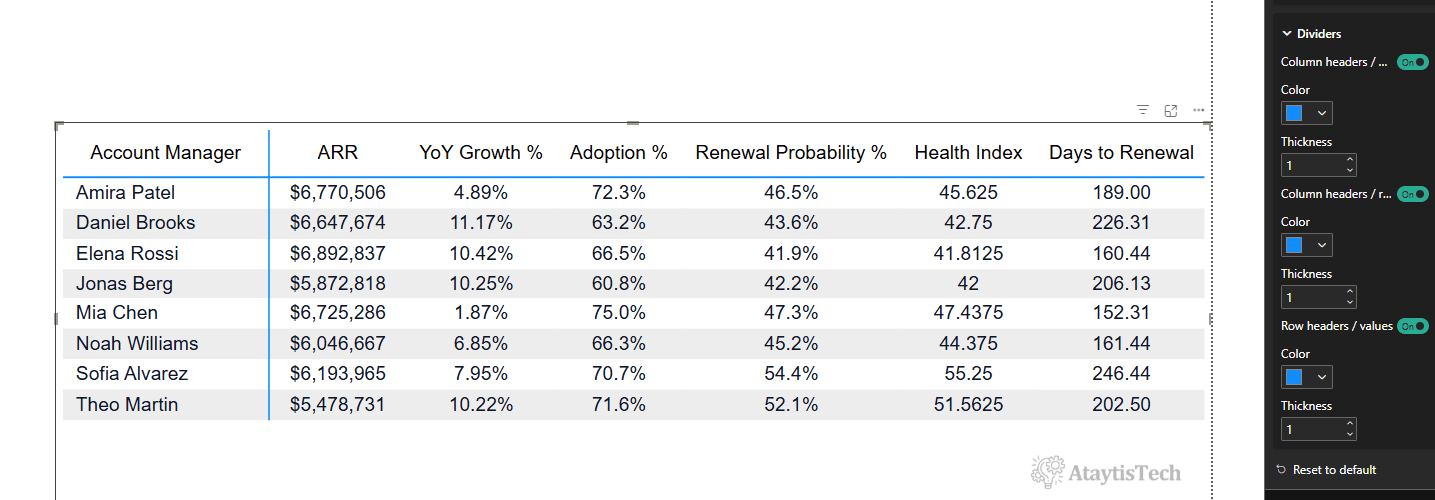
Dividers are the three structural rules that separate the major regions of the matrix. Each has its own colour and thickness.
| Divider | Separates |
|---|---|
| Column headers / values | The header band from the body of the matrix. |
| Column headers / row headers | The header band from the row-header column. |
| Row headers / values | The row-header column from the values beside it. |