Particle Text VisualAnimated Power BI Text
How it works
- 1
Purchase & unlock
After checkout, the Copy Spec button on this page becomes active.
- 2
Install Ataytis Vega Studio
In Power BI Desktop, open Get more visuals, search for Ataytis Vega Studio, and add it. It is free, and you only do this once.
- 3
Add it to the canvas
Drag the visual onto your report page and drop any field into it to switch it on. Click Edit in the visual toolbar to open the editor.
- 4
Paste the spec
Copy the JSON from this page, paste it over the contents of the Spec editor, and press Ctrl+Enter. The visual renders straight away.
- 5
Customise (optional)
Edit the signal variables near the top of the spec to adjust colors, sizes, and stroke widths to match your report theme.
See it in action
Features
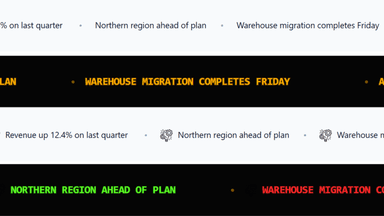
Your Words, Assembled in Motion
Type any headline and it forms from drifting particles as the report opens. It is the difference between a title that sits on a page and one that arrives on it — which is the whole job on a screen people walk past rather than read.